Leads
Capture and manage visitor leads collected by your April agent.
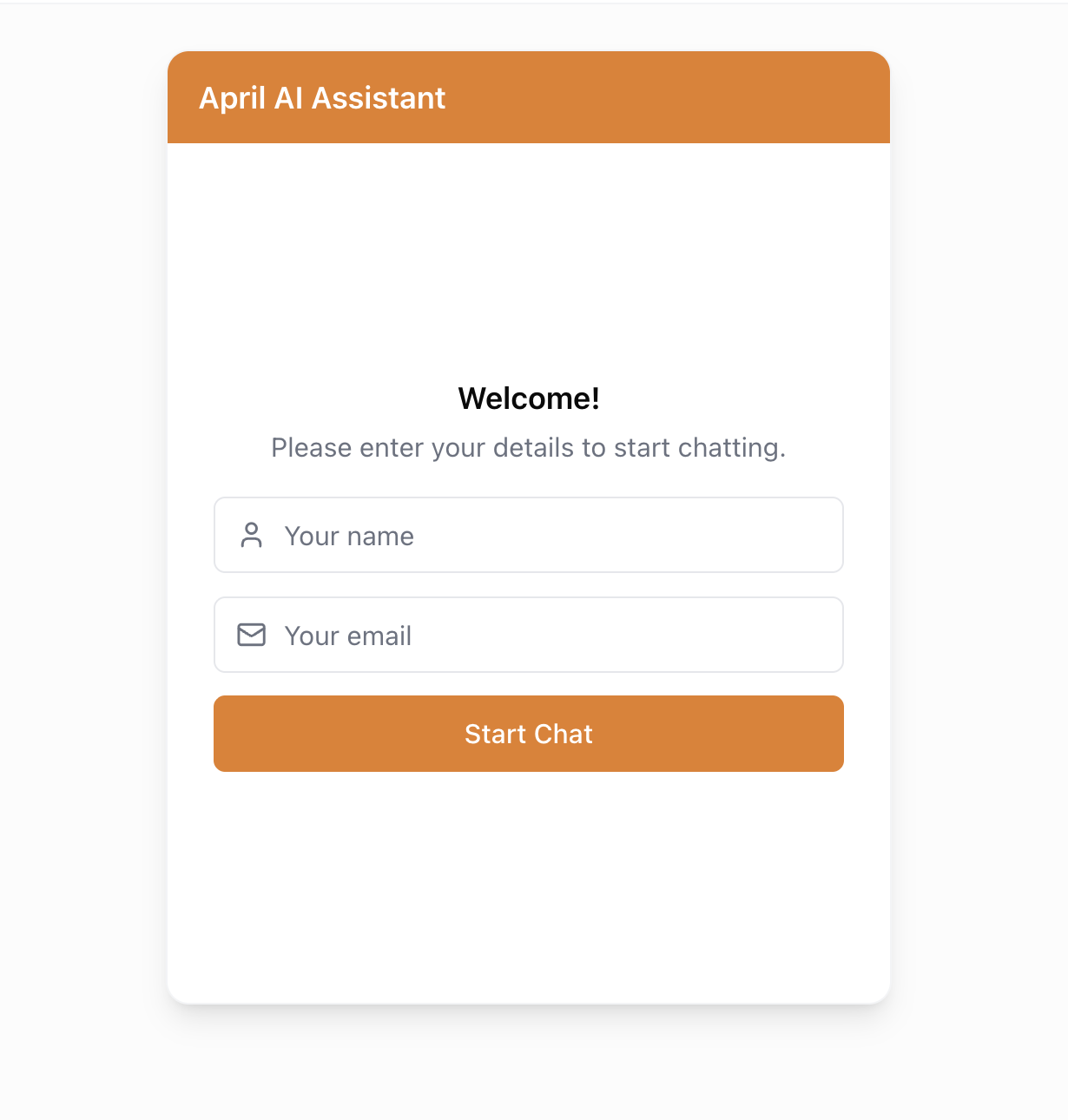
April can capture visitor contact information before they start chatting, turning conversations into actionable leads.
How Lead Capture Works
When enabled, a form appears before the chat starts, asking visitors for their:
- Email address (required)
- Name (optional — you can enable or disable this field)
Once submitted, the visitor can start chatting normally. Their information is stored with the conversation.
Enabling Lead Capture
- Go to your agent's Deploy tab
- Find the Lead Capture section
- Toggle lead capture on
- Choose whether to require the name field
- Save your changes
Viewing Leads
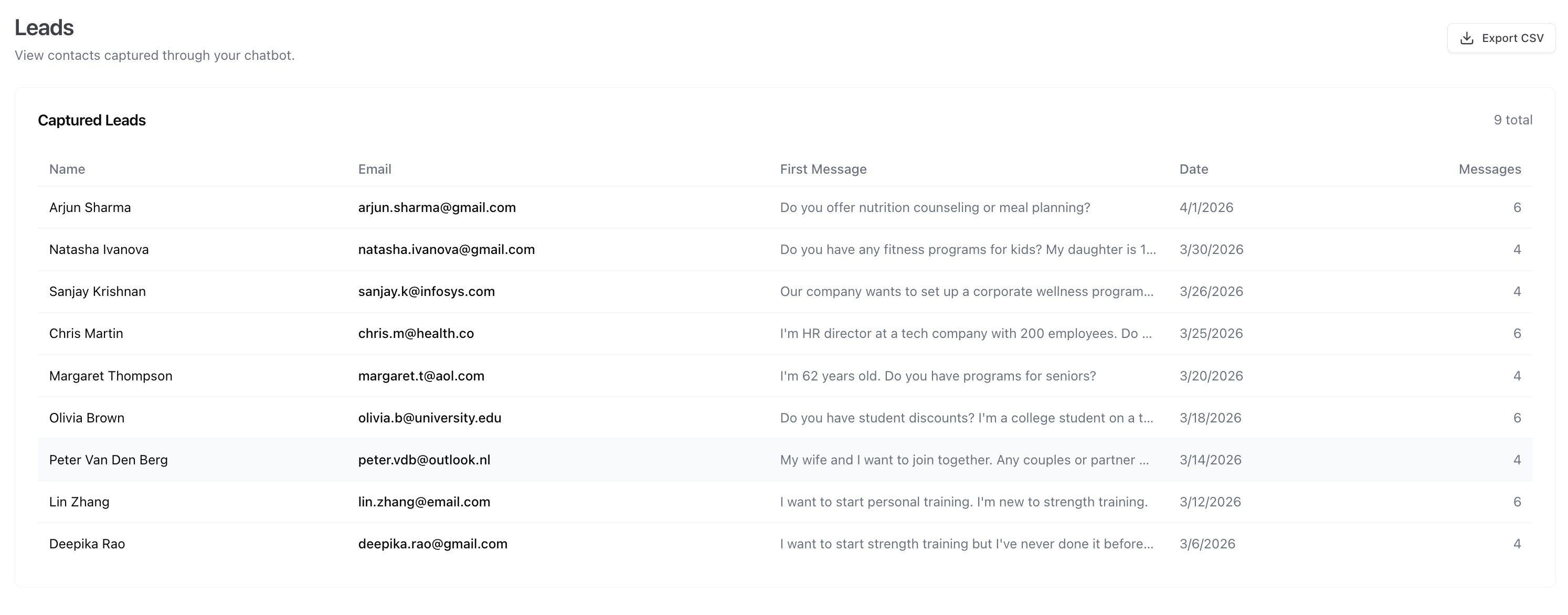
The Leads page shows all captured leads with:
- Visitor email address
- Name (if collected)
- Date captured
- Link to their conversation
Exporting Leads
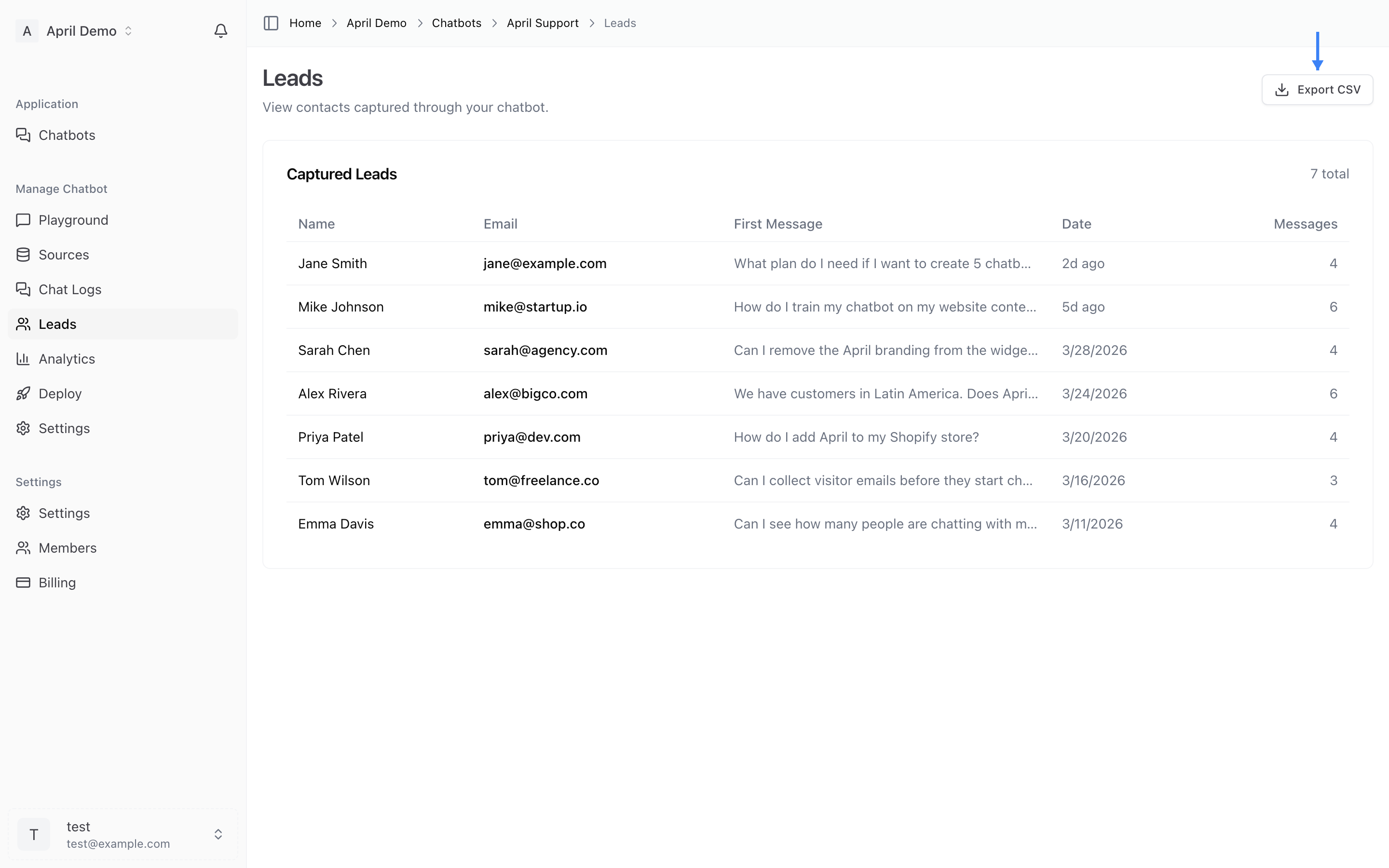
Click the Export CSV button to download all leads as a CSV file. This makes it easy to:
- Import into your CRM (HubSpot, Salesforce, etc.)
- Add to your email marketing tool (Mailchimp, ConvertKit, etc.)
- Share with your sales team
- Track lead volume over time
Tips
- Keep the form short — Only ask for what you need. Email alone has the highest completion rate.
- Set expectations — Your welcome message should let visitors know why you're asking for their info.
- Follow up quickly — Leads from chat are high-intent. The faster you follow up, the better your conversion rate.