Lead Capture
Collect visitor contact information with April's built-in lead capture form.
Turn website visitors into leads by collecting their contact information before they start chatting.
How It Works
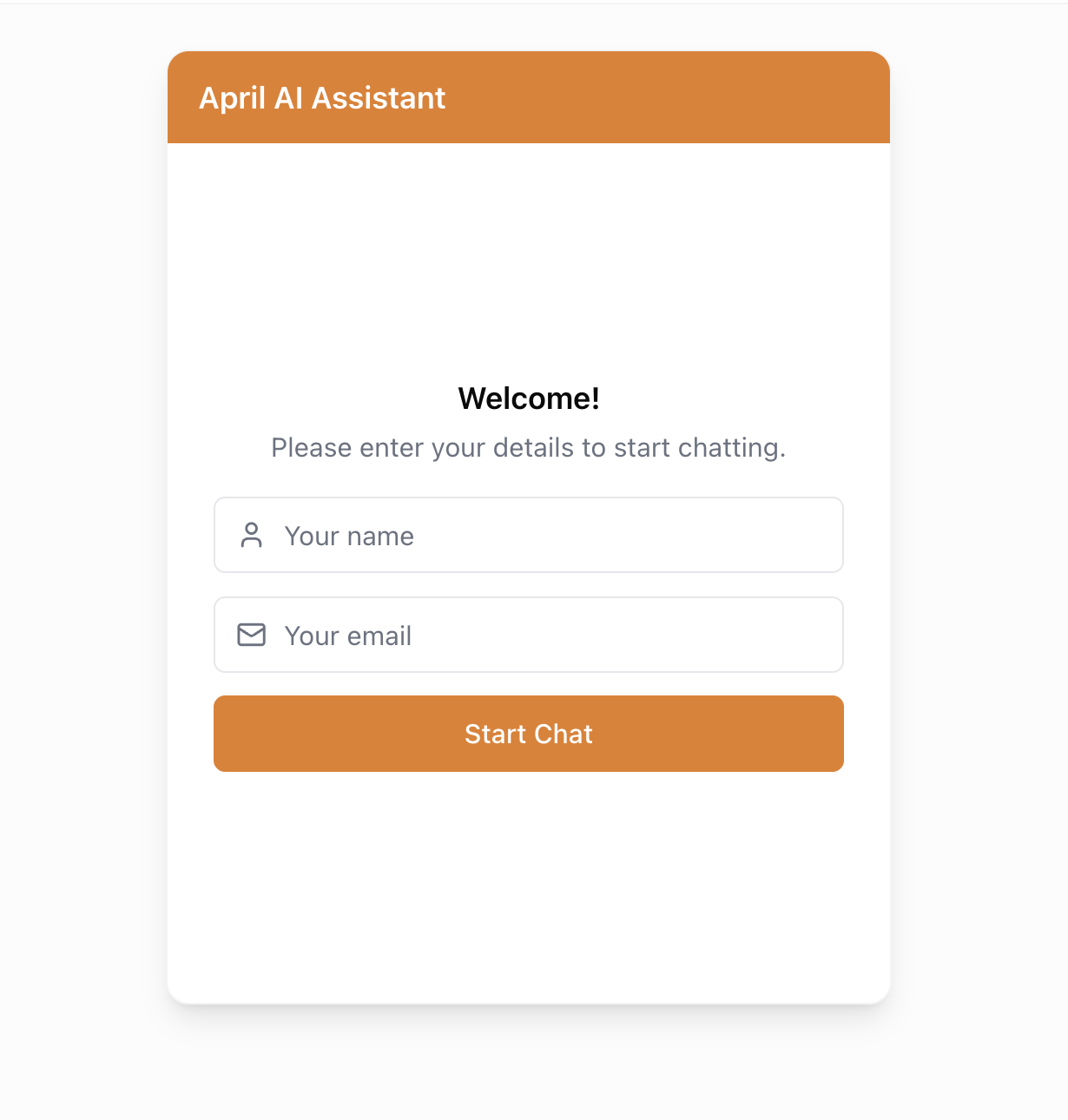
When lead capture is enabled, visitors see a simple form before the chat begins:
- Visitor clicks the chat bubble
- A form asks for their email (and optionally their name)
- After submitting, they can start chatting normally
- Their information is stored with the conversation
Setup
- Go to your agent's Deploy tab
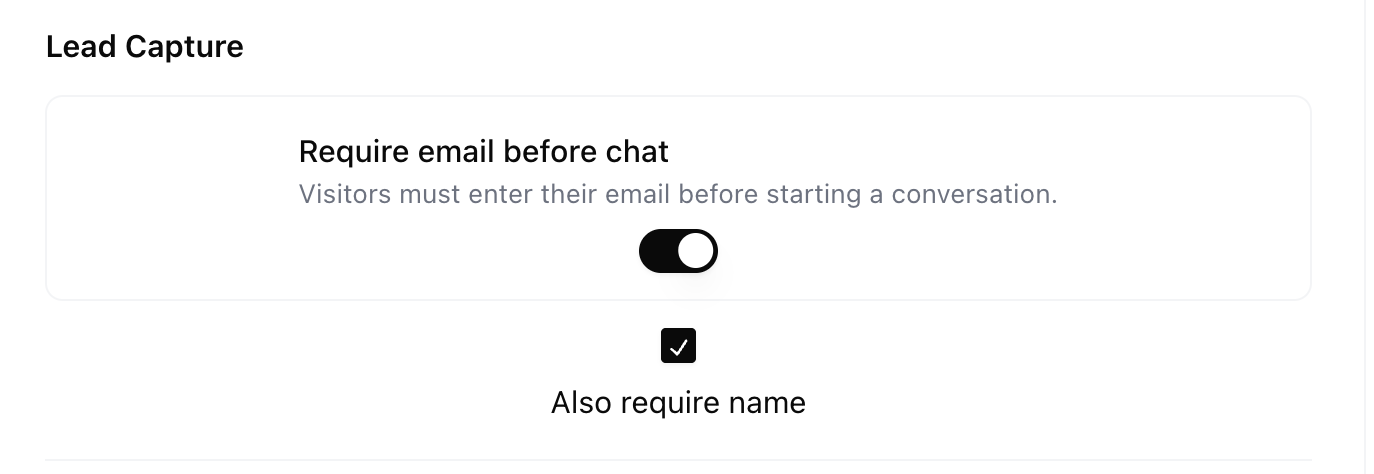
- Find the Lead Capture section
- Toggle it on
- Choose whether to include the Name field (email is always required)
- Save and deploy
Managing Leads
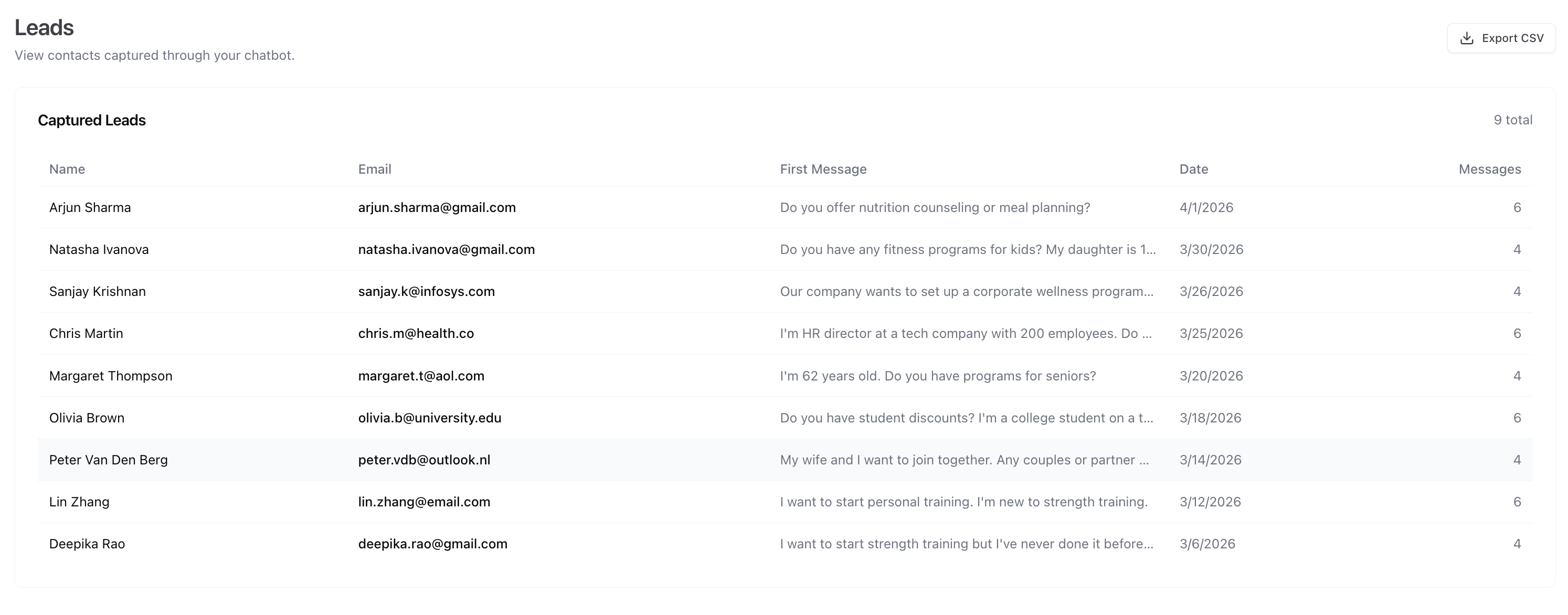
All captured leads appear on the Leads page, which shows:
- Email address
- Name (if collected)
- Date and time
- Link to the conversation
Captured leads appear in your Leads dashboard with name, email, first message, and conversation history:
Exporting
Click Export CSV to download all leads. Import them into:
- CRM tools (HubSpot, Salesforce, Pipedrive)
- Email marketing platforms (Mailchimp, ConvertKit, ActiveCampaign)
- Spreadsheets for manual tracking
Best Practices
- Only ask for what you need — Email-only forms have higher completion rates than email + name
- Be transparent — Mention in your welcome message why you're collecting their info
- Follow up quickly — Chat leads are high-intent; respond within hours, not days
- Respect privacy — Make sure your privacy policy covers data collection through the chat widget