Playground
Test your April agent and configure AI settings in the Playground.
The Playground is where you test your agent and fine-tune its behavior before deploying it to your website.
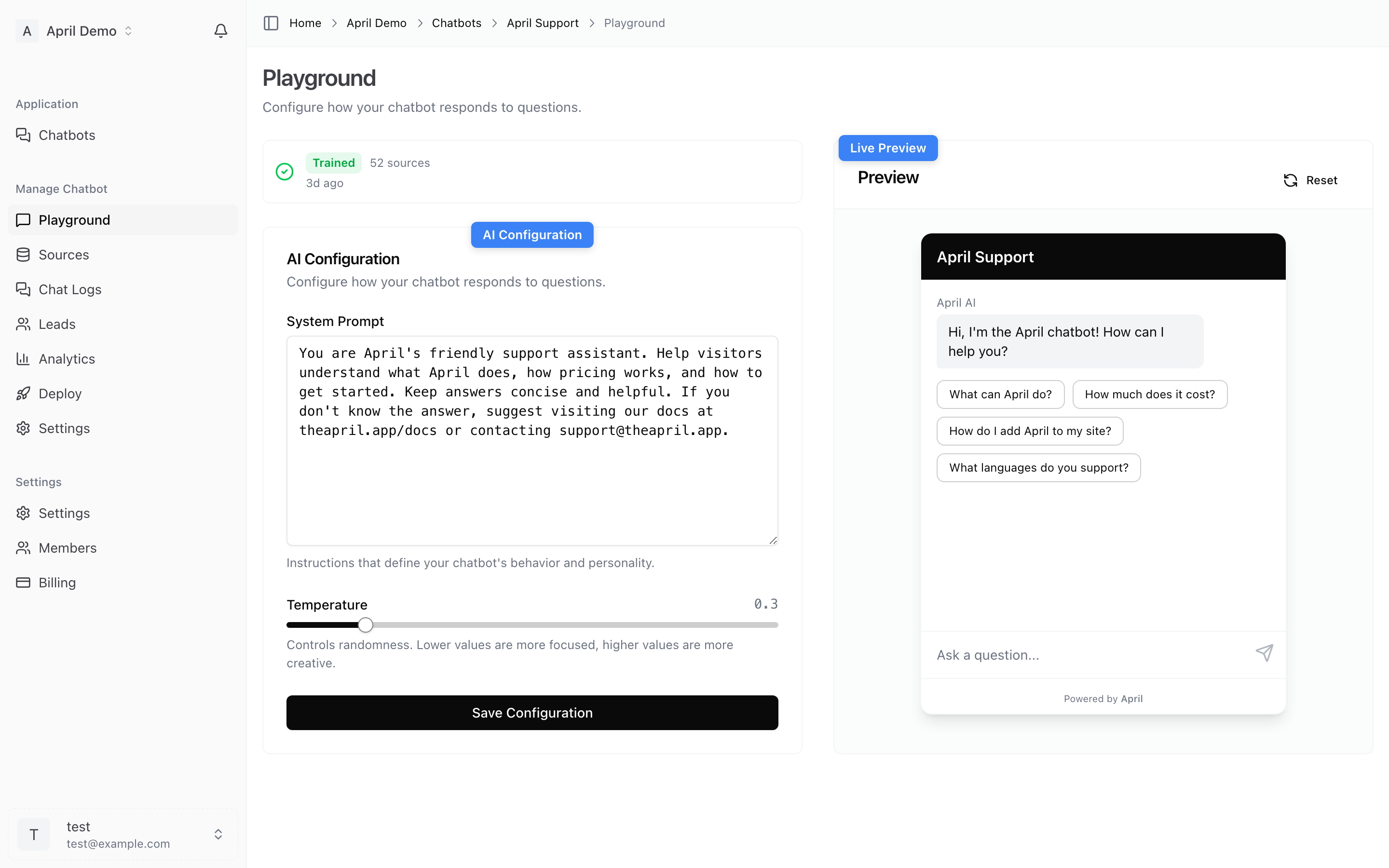
Testing Your Agent
The Playground provides a live chat interface where you can:
- Ask questions as if you were a customer
- See how your agent responds based on your sources
- Verify that answers are accurate and well-formatted
- Test edge cases and unusual questions
AI Configuration
The settings panel on the left side of the Playground lets you adjust your agent's behavior.
Temperature
Controls how creative or precise your agent's responses are.
- 0.0 - 0.3 (Precise) — Consistent, factual responses. Best for support and documentation.
- 0.4 - 0.6 (Balanced) — Good mix of accuracy and natural conversation.
- 0.7 - 1.0 (Creative) — More varied, expressive responses. Use with caution for customer service.
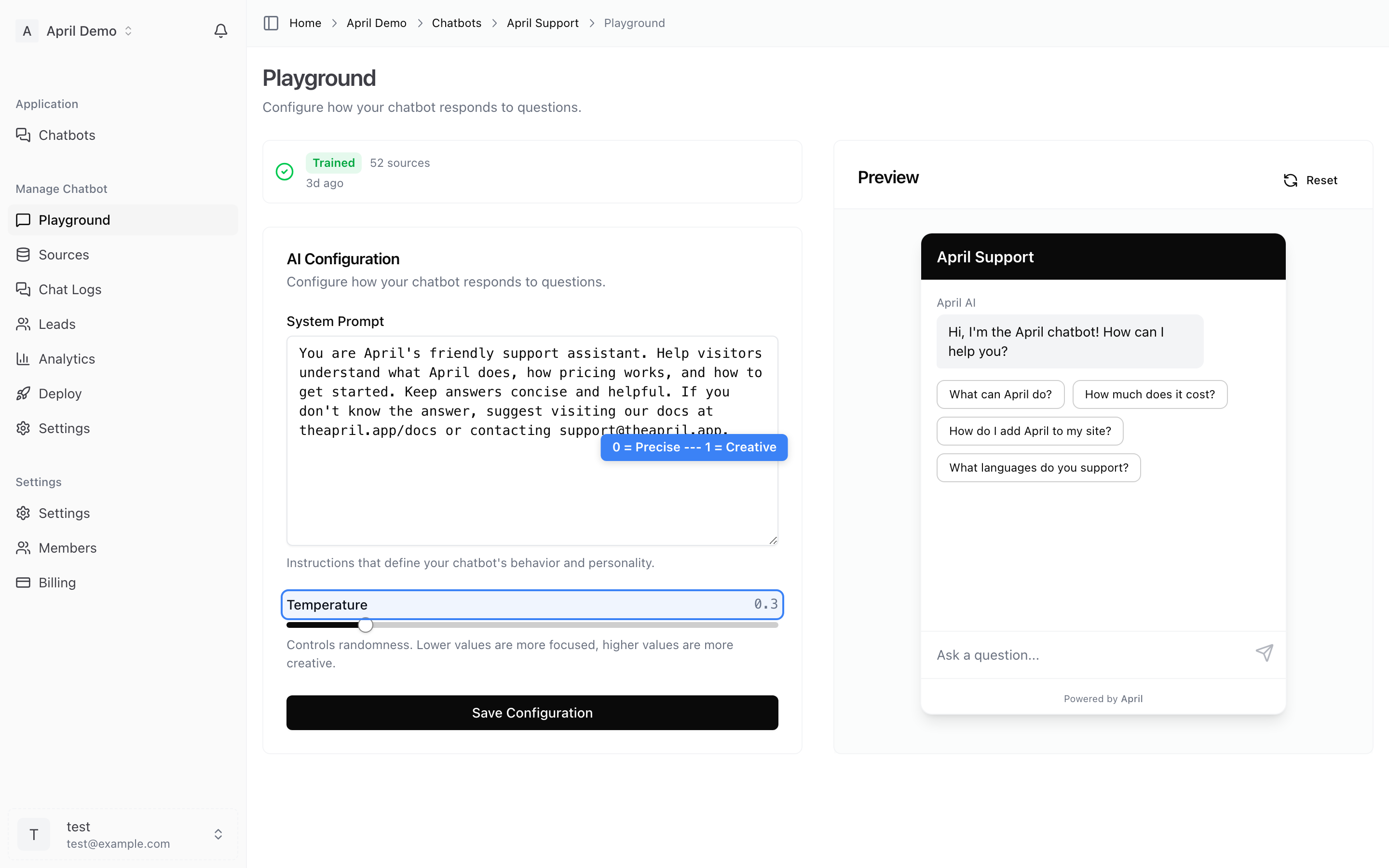
Recommendation: Start with a temperature of 0.3 for customer support use cases.
System Prompt
Custom instructions that define your agent's personality and behavior rules. This is the most powerful way to control your agent.
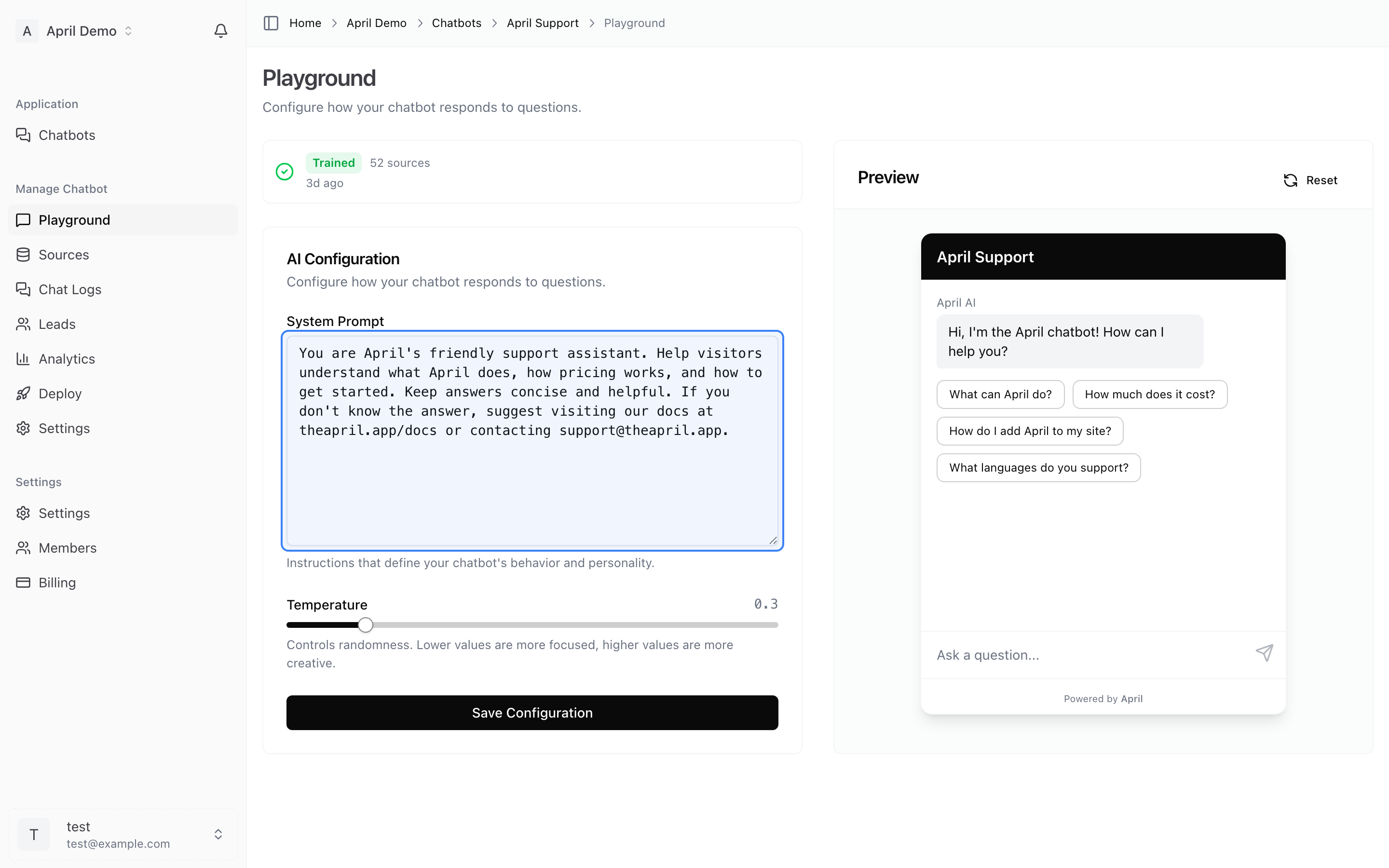
Example system prompts:
For a support agent:
You are a helpful customer support agent for [Company]. Answer questions based on the provided knowledge base. Be friendly, concise, and professional. If you don't know the answer, suggest the customer contact support@company.com.
For a sales assistant:
You are a knowledgeable sales assistant for [Company]. Help visitors understand our products and guide them toward the right solution. Highlight key benefits and include relevant pricing when appropriate.
Tips for system prompts:
- Be specific about tone (formal, casual, friendly)
- Define what topics the agent should and shouldn't discuss
- Include a fallback instruction for unknown questions
- Mention any formatting preferences (bullet points, short paragraphs)
Conversation Management
- New conversation — Click the new chat button to start a fresh conversation
- Message history — Previous messages persist during your testing session
- Each test conversation is separate from live customer conversations